Free · Open source · Runs on your computer
Know whether a dub is ready before you ship it
DubEval compares a dubbed video with its original. It checks timing, speech, voice and translation, puts every problem on a timeline, and tells you which of several dubs to deliver, and why.
Free · v0.1.1 · Windows 10 and 11 · 505 MB
- No account, no upload
- Videos stay on your computer
- Open source (AGPL-3.0)
 DubEval
Product launch · EN → KO
9 good · 2 to check · 0 poor
- Same video100% matchedGood
- Speech timing81% overlapGood
- Line length1 line longCheck
- Voice qualitylike originalGood
- Meaning1 lineCheck
- Lip syncinfo onlyInfo
- 0:42.1–0:44.6Line runs overLine 7 runs 0.8 s into the next line.
- 1:15.0–1:18.2Meaning“launch” became 발사 (rocket launch), not 출시 (product launch).
Works with
- Video files on your computer
- YouTube, TikTok and Reels links
- Perso share links
- Dubs from any AI service
- Voice-actor dubs
Watching every dub in full doesn’t scale
Too many minutes
One video in ten languages means ten full viewings. Reviewers end up spot-checking and hoping.
Problems hide in the middle
A silent gap at 3:12, the original voice left in, one line in the wrong voice: easy to miss on a quick pass.
“Sounds a bit off” isn’t feedback
Without a time and a reason, a vendor can’t fix it, and you can’t compare one dub with another.
What it checks
Each check gets a grade, Good, Check or Poor, with what was measured and how it’s graded. Every problem it finds has a time range you can click and play.
Same video
Confirms the dub is the same video as the original, corrects a time shift, and finds parts cut out of the dub.
Timing
Does the dub speak when the original speaks? Each line’s length is compared, and lines that run into the next one or leave long silences are flagged.
Speech
Right language (and not the original voice left in), clear speech, and speaking pace for Korean, English, Spanish, Japanese and Chinese.
Voice
Does the dub sound clean, not robotic or distorted, next to the original at the same moment? For cloned voices: does it still sound like the speaker?
Meaning
Every line scored 1 to 10 for meaning, natural wording, context, terms and localization, with a suggested fix. Uses Claude, Gemini or ChatGPT with your key, or a local model.
Sound and file
Sudden loudness jumps, clipping and distortion, and a picture or audio track that changed.
Lip sync is shown for information only in this beta and never changes the verdict. Every check and how it’s graded
A verdict you can check, not a black-box score
There is no single 0–100 score on purpose: weights between checks would be arbitrary. DubEval gives each dub one of three verdicts, and shows the reason behind it.
- Every problem has a time: click it to play both videos at that moment.
- Words the speech recognizer probably misheard are marked and never lower a grade.
- Mark each problem as a real problem or a false alarm, so you can see which checks to trust.
- Export a report, a problem list, a summary or the raw data (HTML, CSV, text, JSON).
- Good
Every automatic check passed.
- Needs review
Something should be looked at by a person. The report says where.
- Poor
At least one check failed clearly, such as a long silence or the wrong language.
Pick the dub to deliver
Dubbed the same video with different services, voices or vendors? Add 2 to 8 dubs and get a ranking and a recommendation, with the reason in plain words.
- The ranking rule is fixed and printed, so the same dubs always give the same answer.
- Every check side by side, and a full review of each dub.
- A warning when the winner still couldn’t be measured on key checks.
How it works
Step 1
Install
Download the free Windows app and install it in about 2 minutes. No account, no administrator rights.
Step 2
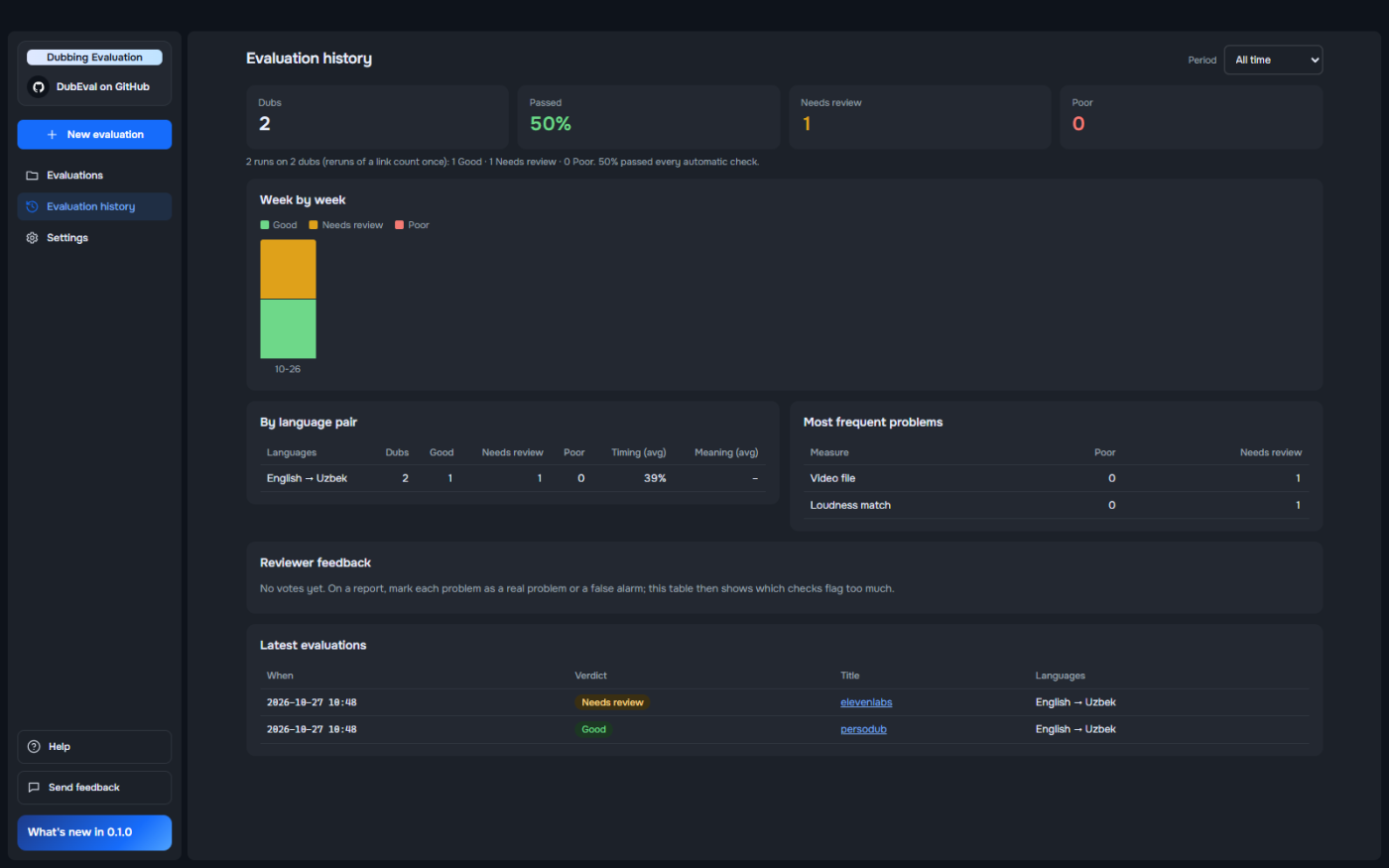
Add the original and the dub
Choose files, or paste YouTube, TikTok, Reels or Perso share links. Add more dubs to compare them.
Step 3
Review and fix
Read the verdict, jump to each problem on the timeline, and send the report to whoever made the dub.
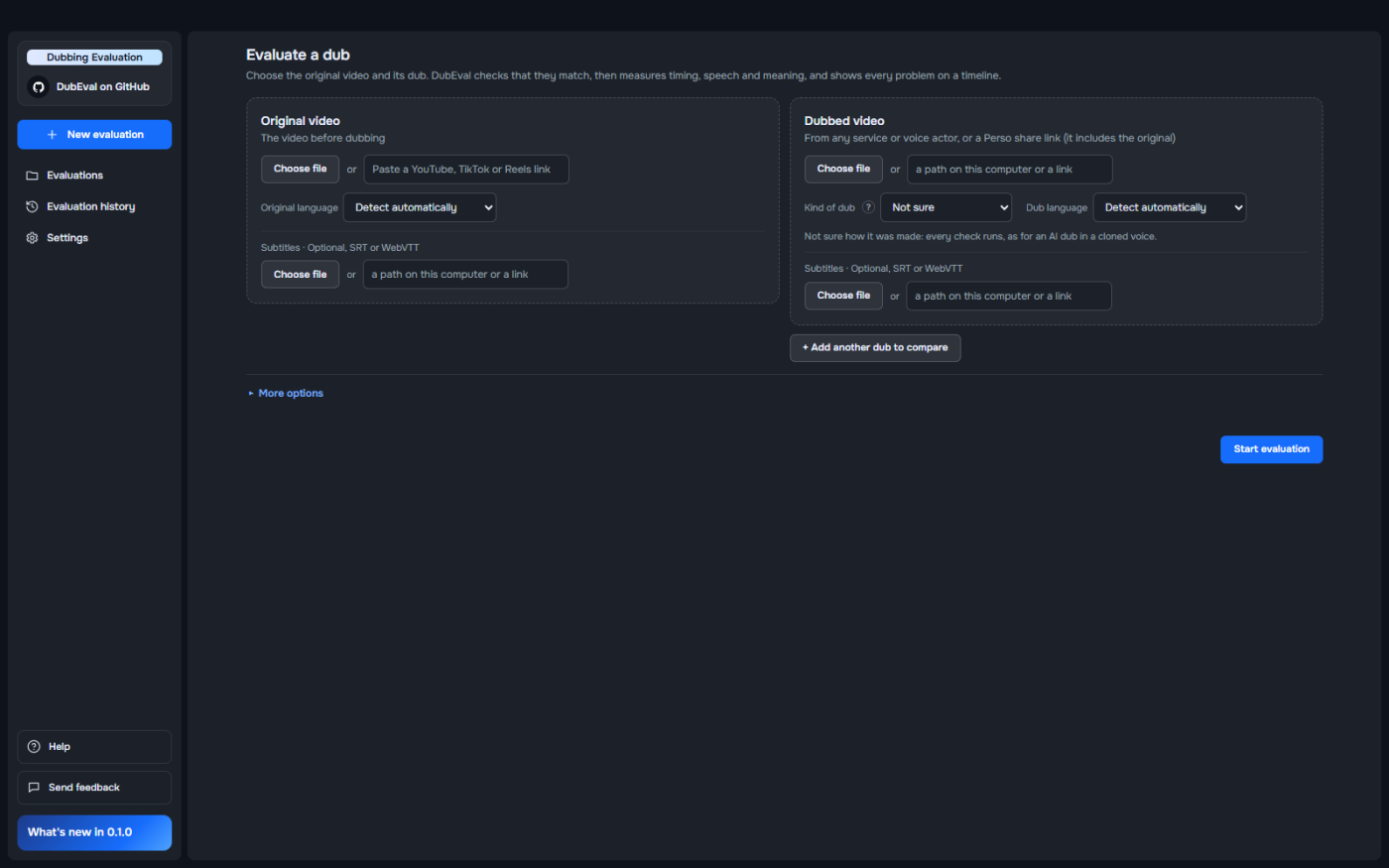
Track quality over time
Every evaluation is kept: the pass rate week by week, each language pair, and the problems that come up most.
Your videos stay yours
Every audio and video check runs on your computer. Nothing is uploaded, and there is no account and no usage tracking.
On your computer
Videos, speech recognition, voice and picture checks, reports, history and your API keys.
Sent only if you turn it on
The translation check sends the two transcripts (text, never audio or video) to the AI you chose. Pick the local model to keep even that on your computer.
Works offline
The speech, voice and picture models are inside the app. Optional models download once from Settings.
How accurate is it?
DubEval measures; it doesn’t replace watching the dub. Use the verdict to decide where to look first. Here is how it has done so far, honestly.
- 5 of 6
English → Korean dubs where the verdict matched a person’s. Korean is the language pair with enough checks to trust.
- 6 of 12
across every dub graded by a person so far (Korean, Uzbek, Spanish). Other language pairs work, but treat them as a first look.
- Never
does a likely misheard word lower a grade. Possible mishearings are marked and kept out of the verdict.
Help make it better: send graded dubs or mark false alarms. Thresholds change from real evidence. Accuracy and known limits
Who it’s for
Localization and content teams
Check every language before release without watching every minute.
Dubbing studios and vendors
Catch problems before delivery and send clients a report with times and reasons.
AI dubbing teams
Run batches and catch regressions when you change a model, a voice or a pipeline.
Creators going multilingual
Try several AI dubbing services on one video and see which dub to publish.
Open source, built to fit your pipeline
The same checks run from the command line, in batches, behind a REST API or in Docker, on Windows, macOS and Linux.
Licensed under AGPL-3.0-or-later. Read the code, run it yourself, and contribute.
- Command line
dubeval evaluate --original A.mp4 --dub B.mp4 - Batch
python qa.py batch links.txt - REST API
python qa.py serve - Docker
docker compose up
Frequently asked questions
What is DubEval?
DubEval is a free, open-source tool that checks the quality of a dubbed video by comparing it with the original. It measures timing, speech, voice and translation, shows every problem as a time range on a timeline, and gives a verdict: Good, Needs review or Poor. It evaluates dubs; it doesn’t make them.
Is DubEval free?
Yes. DubEval is free and open source under the GNU AGPL-3.0 license. There is no account and no subscription. The optional translation check uses your own Claude, Gemini or ChatGPT key, billed by that provider, or a free local model.
Are my videos uploaded anywhere?
No. Every audio and video check runs on your computer. Only the optional translation check sends text, the two transcripts, to the AI you choose; with the local model, nothing leaves your computer.
Which dubbing services does it work with?
Any. DubEval only needs the original video and the dub, so it works with dubs from any AI dubbing service and with voice-actor dubs. You can choose files, paste YouTube, TikTok or Instagram Reels links, or paste a Perso share link, which already includes the original.
Which languages are supported?
Any language pair the Whisper speech recognizer knows. Speaking pace is graded for Korean, English, Spanish, Japanese and Chinese. A check that can’t work for a language says “not measured” with the reason instead of guessing. English → Korean is the most tested pair so far.
Does it check lip sync?
Only roughly, for now. In this beta, lip movement is shown for information and never changes the verdict. A proper lip-sync check is planned after the first version.
Can I compare dubs from different services or vendors?
Yes. Add 2 to 8 dubs of the same video. You get a ranking, the dub to deliver and the reason. The rule is fixed and printed, so the result is repeatable.
What do I need to run it?
A 64-bit Windows 10 or 11 PC with about 2 GB of free disk. An NVIDIA graphics card is optional: it makes speech recognition faster and enables a more accurate speech model. On macOS and Linux, run it from source or in Docker.
Windows says “Windows protected your PC”. Is it safe?
The beta isn’t code-signed yet, so Windows shows this warning for any new unsigned app. Click More info, check that the file is DubEval-Setup.exe, then Run anyway. The source code is public on GitHub.
Does it replace human reviewers?
No. It tells reviewers where to look. Instead of watching every minute in every language, they spend their time on the moments that were flagged.
Join the community
Share results, ask questions, request checks and see what’s coming next.
Check your next dub before your audience does
Free for Windows. Installs in about 2 minutes. No account.
v0.1.1 · 505 MB · Windows 10 and 11 (64-bit)